



How To Protect Your InterLink Account & Digital Identity (2026 Guide)
Sep 04, 2026
Technology
Learning how to protect your InterLink account and digital identity is an important step for anyone using the InterLink ecosystem. InterLink combines digital identity, Proof of Personhood, and blockchain-based services, making account security a core part of the user experience. Rather than relying on a single security layer, InterLink uses identity verification, account authentication, biometric protection, and additional security measures for specific functions such as wallet management and token migration. Understanding how these protections work can help you keep your InterLink ID, personal information, and digital assets more secure.
Why Protecting Your InterLink Account and Digital Identity Matters?
Your InterLink account is connected to your digital identity and access to services within the InterLink ecosystem. Protecting your account helps reduce the risk of unauthorized access and protects sensitive information associated with your identity.
Good account security can help you:
- Protect your InterLink ID: Prevent unauthorized users from accessing your account and identity-related information.
- Protect personal information: Reduce unnecessary exposure of information associated with your InterLink account.
- Secure digital assets: Use the appropriate security measures when interacting with token or wallet-related services.
- Prevent unauthorized activity: Strong authentication practices make it more difficult for another person to use your account without permission.
Account security should therefore be viewed as a combination of secure credentials, identity verification, privacy protection, and responsible user behavior rather than a single app-level feature.
How does InterLink protect your digital identity?
InterLink's security model is closely connected to its Proof of Personhood system. This helps distinguish genuine human users from automated accounts while supporting a digital identity that is linked to a verified individual.
Proof of Personhood
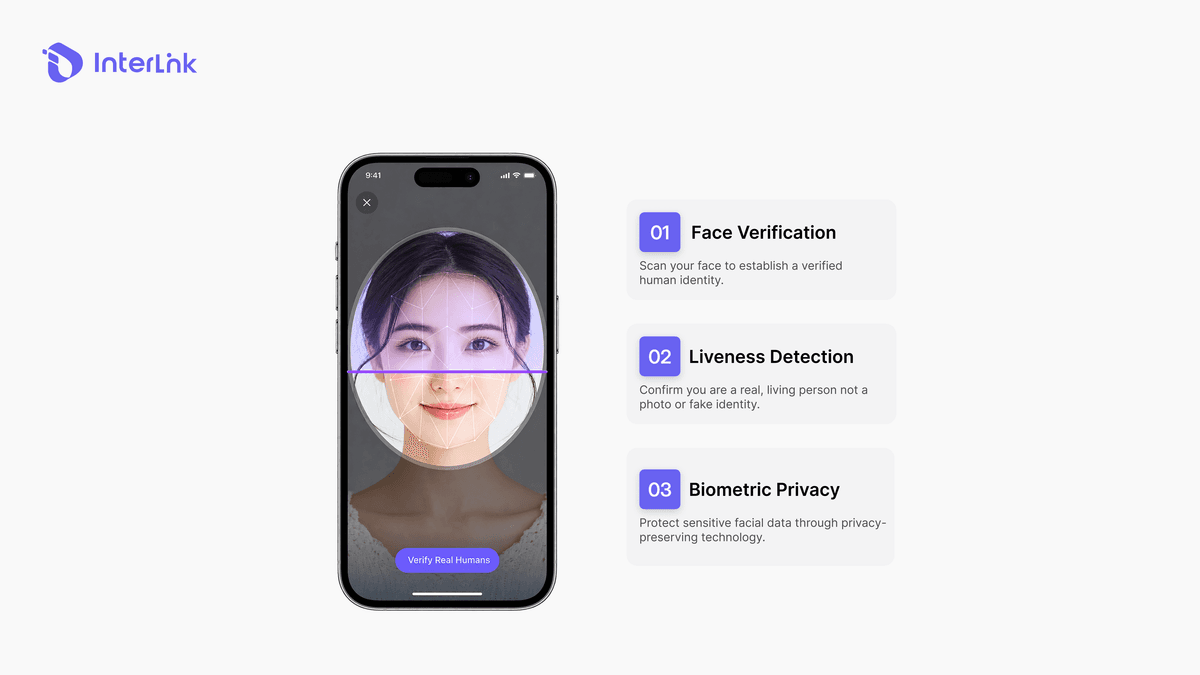
Proof of Personhood (PoP) is used to verify that a user represents a real human rather than an automated or duplicated account. InterLink uses facial verification and liveness-related checks as part of its identity verification process. These mechanisms help strengthen the integrity of the Human Network by making it more difficult for bots, duplicate identities, or fraudulent accounts to participate.
Face Verification and Liveness Detection
During verification, users may be required to complete a facial verification process designed to confirm their identity and establish that the verification is being performed by a real person. If verification fails, users should follow the troubleshooting instructions provided through official InterLink channels rather than repeatedly attempting unofficial workarounds or sharing verification information with third parties.
Biometric Privacy
Because facial verification involves sensitive biometric information, privacy is an important part of the identity-verification process. InterLink's approach to Proof of Personhood is designed around privacy-preserving verification, using cryptographic mechanisms to support identity verification while reducing unnecessary exposure of biometric information. Users should always complete biometric verification through the official InterLink application or official InterLink services and avoid submitting facial or identity information through links from unknown sources.
What authentication and security measures does InterLink use?
Different parts of the InterLink ecosystem can require different security measures. Not every security feature applies to every function.
Email Verification
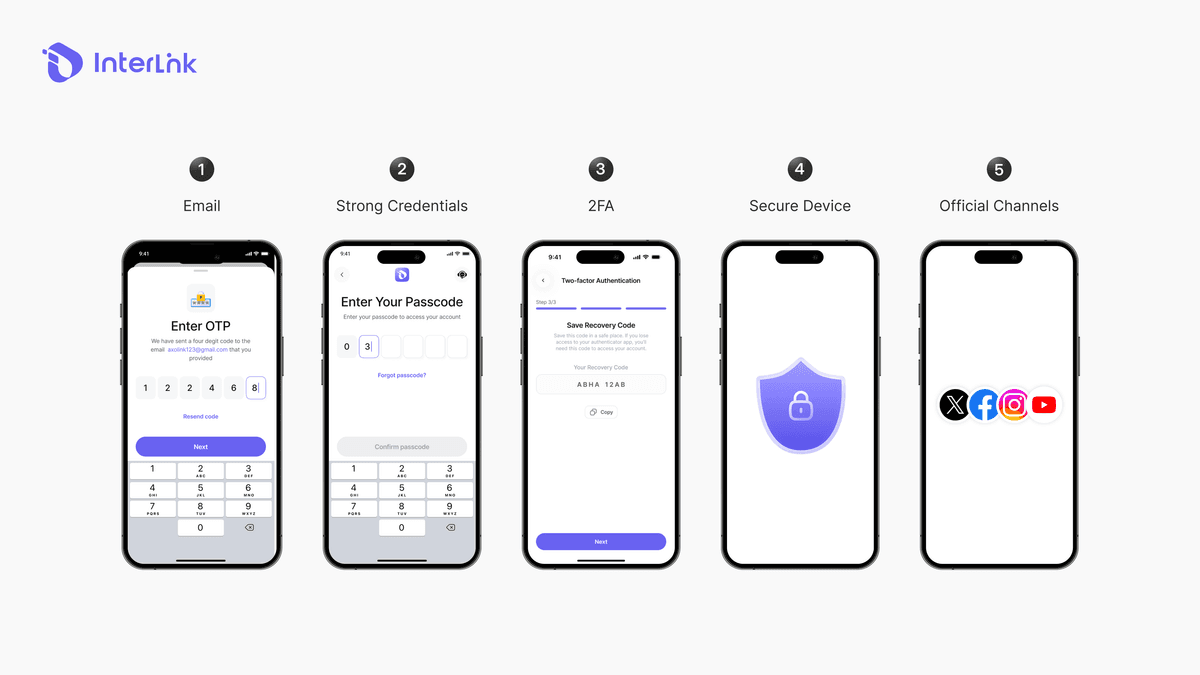
Email verification can be used as part of account authentication and recovery-related processes. Users should keep the email account associated with their InterLink account secure and avoid sharing verification codes with anyone.
Password or Passcode Protection
Your account credentials are an important layer of protection. Use a strong, unique credential and avoid sharing it with other people.
Never use simple combinations such as:
- 123456
- 111111
- Your birthday
- Your phone number
- Passwords reused across multiple services
If you suspect that your credentials have been exposed, use InterLink's official account-recovery or security procedures.
Two-Factor Authentication
Two-factor authentication (2FA) provides an additional verification layer for certain InterLink processes. In particular, 2FA is associated with the migration process involving InterLink's token ecosystem. It should not be treated as a replacement for all other account-security measures or assumed to function as a general app-lock mechanism.
How to secure your InterLink account?
Users can significantly improve their security by following a few basic practices.
- Use Strong, Unique Credentials: Create credentials that are difficult to guess and avoid reusing the same password or passcode across multiple services.
- Secure Your Email Account: Your email account can be an important part of account verification and recovery. Use a strong password and the available security features provided by your email provider.
- Never Share Verification Codes: InterLink support or other users should not need your private authentication codes, passwords, or wallet credentials. Never send an OTP, authentication code, password, or private key to someone claiming to provide technical support.
- Only Use Official InterLink Channels: Be careful with links received through social media, messaging applications, or unsolicited emails. Before entering your credentials or completing identity verification, confirm that you are using an official InterLink service.
- Keep Your App and Device Updated: Security updates can address vulnerabilities in the application or operating system. Keep both your device and InterLink application updated whenever official updates are available.
- Protect Your Phone: Even when an application does not provide a dedicated app-level lock, your device's own security remains an important layer of protection. Use the security features supported by your smartphone, such as a device passcode, Face ID, fingerprint authentication, or another supported screen-lock method.
This protects the entire device rather than relying on an unverified assumption that an individual application provides its own App Lock feature.
What about ITLX Wallet security?
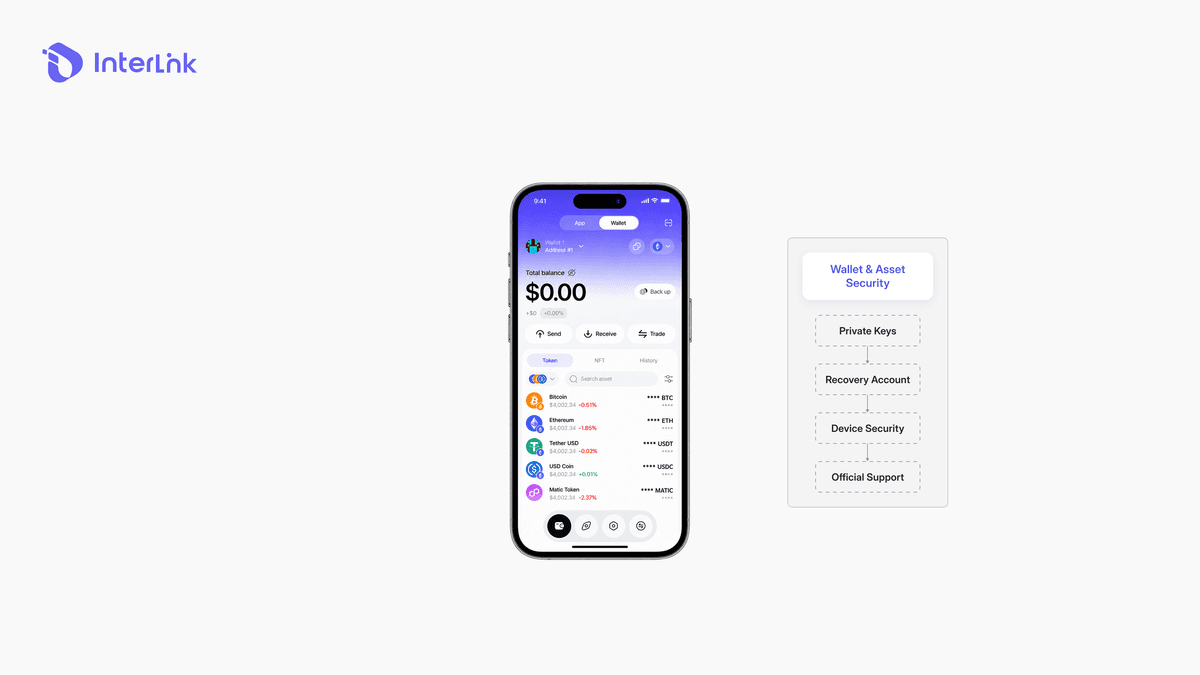
Wallet security should be considered separately from general InterLink account security. When using ITLX Wallet or other wallet-related functionality, users may be responsible for protecting credentials or cryptographic information associated with their wallet. Never disclose sensitive wallet information to another person, including:
- Private keys
- Recovery credentials
- Authentication codes
- Other credentials that can be used to access your wallet
If a wallet-related security procedure requires backup or recovery information, follow the official instructions provided by InterLink and store the information securely.
How does InterLink protect biometric information?
Biometric information requires additional privacy considerations because facial characteristics are highly sensitive and cannot simply be replaced like a password. InterLink's Proof of Personhood approach is designed to use privacy-preserving mechanisms when establishing that a user is a genuine human. The key distinction is between proving that a person has been verified and unnecessarily exposing the underlying biometric information. For users, the safest approach is simple: complete verification only through official InterLink services and do not upload biometric information to unofficial websites, forms, or applications.
Does InterLink have an app lock?
InterLink's documented security model focuses on account authentication, Proof of Personhood, biometric privacy, wallet-related security, and specific authentication requirements such as 2FA for applicable processes. Users should not assume that InterLink provides a dedicated App Lock, automatic inactivity lock, Face ID unlock, or fingerprint unlock inside the application unless that feature is explicitly available in their current app version or documented by InterLink. For device-level protection, users can instead enable the screen-lock and biometric security features provided by their smartphone.
What should you do if you have a security or verification problem?
If you cannot complete verification, access your account, or perform a security-related process:
- Check that you are using the latest official version of the InterLink application.
- Review the official InterLink troubleshooting guidance.
- Confirm that your email and account credentials are correct.
- Do not share passwords, OTPs, private keys, or recovery information with anyone.
- Contact InterLink through its official support channels when further assistance is required.
Avoid unofficial “support” accounts that request payment, passwords, verification codes, or wallet credentials.
Conclusion
Protecting your InterLink account and digital identity requires a combination of secure credentials, identity verification, privacy protection, and responsible user behavior. Instead, different layers help protect different parts of the ecosystem, including account authentication, Proof of Personhood, biometric privacy, wallet security, and 2FA for applicable processes.
For everyday protection, the most important steps are straightforward: use strong credentials, secure your email and device, protect verification codes, complete identity verification only through official channels, and never share private wallet information. By combining these practices with InterLink's built-in security mechanisms, users can better protect their digital identity and reduce the risk of unauthorized access.
Disclaimer: This guide is provided for educational purposes. InterLink's features, interfaces, and security procedures may change over time. Always refer to official InterLink Labs documentation and in-app instructions for the latest information. Never share your password, OTP, private key, recovery credentials, or other sensitive security information with anyone.
Having facial verification issues? Learn how to troubleshoot InterLink verification errors and complete your Proof of Personhood process successfully.

