



How To Recover Your InterLink Password – Step-By-Step Guide 2026
Aug 24, 2026
Technology
Losing access to your InterLink account can disrupt your mining progress and Human Node activities. Fortunately, InterLink’s multi-channel recovery system (updated in v5) allows you to regain access quickly and securely through email, Telegram, biometrics, or Security Group verification.
This guide provides clear, up-to-date instructions based on publicly available information about the current recovery mechanisms. Always use official channels and never share your recovery codes, passwords, or private keys with anyone.
What to do if you forgot your InterLink password?
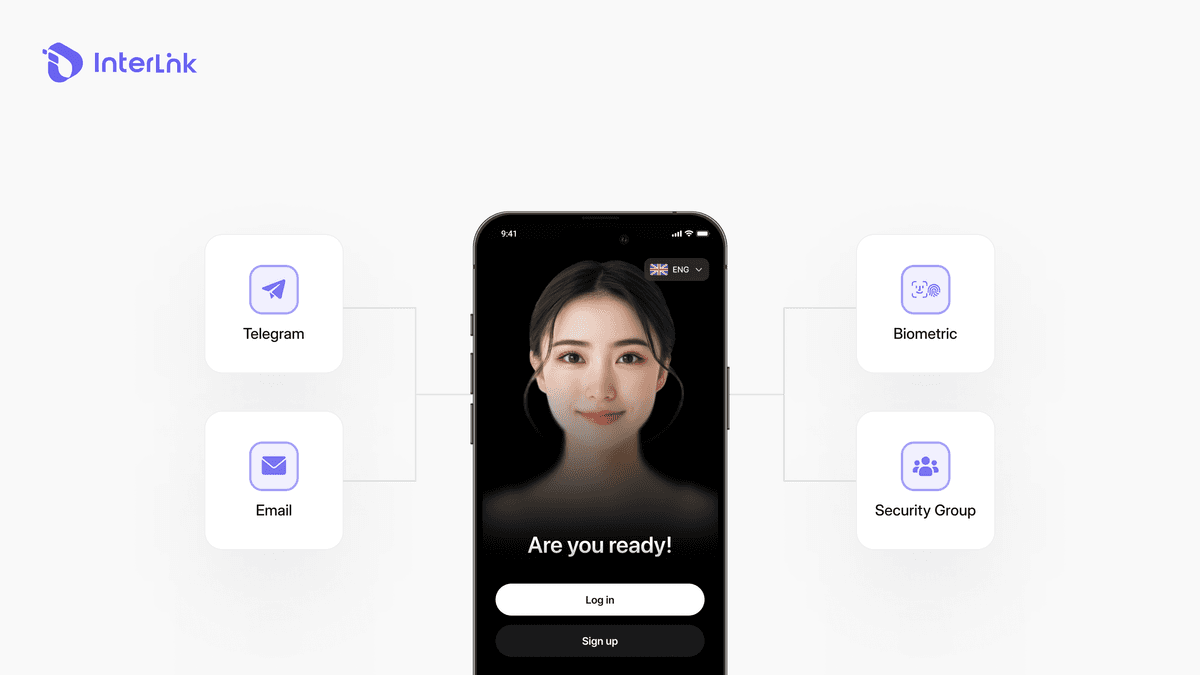
InterLink prioritizes account security while offering multiple recovery options. As of the v5 update, you are no longer limited to a single method. Available recovery channels include:
Your registered email (primary method)
Linked Telegram account
Biometric verification (Face ID or fingerprint)
Decentralized Recovery via Security Group (in supported cases)
The following section provides a step-by-step walkthrough for each of these methods. Choose the one that best fits your situation.
Step-by-step guide: How to reset your InterLink password
Follow these simple steps to recover your account:
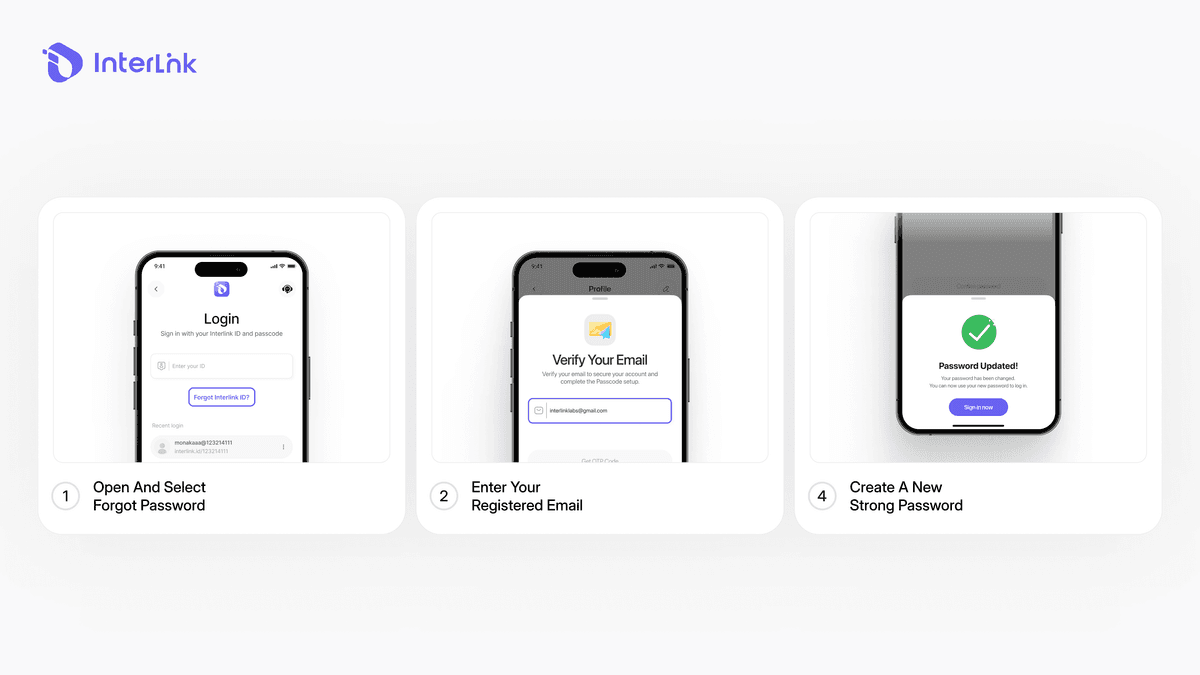
- Step 1: Open the InterLink App and Select “Forgot Password?”
On the login screen, tap the option labeled “Forgot Password?” or “Forgot ID/Passcode”.
- Step 2: Enter your registered email
Type the exact email address used when creating your InterLink account. Even a small typo can prevent the recovery email from being delivered.
- Step 3: Enter the OTP
Check your registered email for the one-time password (OTP) sent by InterLink. Enter the OTP into the app to verify your account and continue with the recovery process.
- Step 4: Change Your Passcode
After the OTP is successfully verified, you can set a new passcode for your InterLink account. Enter your new passcode as required and confirm the change. Once the new passcode has been saved successfully, use it to log in to your InterLink account again.
What if you don’t receive the reset email?
If the reset email does not arrive within a few minutes, try the following:
Check your Spam, Junk, or Promotions folder
Verify that you entered the correct registered email
Wait 5–10 minutes and request the reset again
Ensure your email inbox is not full
Try the Telegram recovery option if available
Contact InterLink Support through the official app or verified community channels
Advanced Recovery Options (v5 and Beyond)
InterLink's v5 update introduced a more robust multi-channel system designed to reduce permanent account loss. Beyond the standard email recovery, the following advanced options are available:
Biometric Authentication
Face ID or fingerprint can serve as a secondary verification layer. If you have enabled this feature, you may be able to recover your account without entering a password.
Email Change Feature
In certain cases, you can update your registered email after passing biometric checks or providing the Super Wallet recovery phrase. This is useful if you no longer have access to your original email address.
How to prevent losing access to your account?
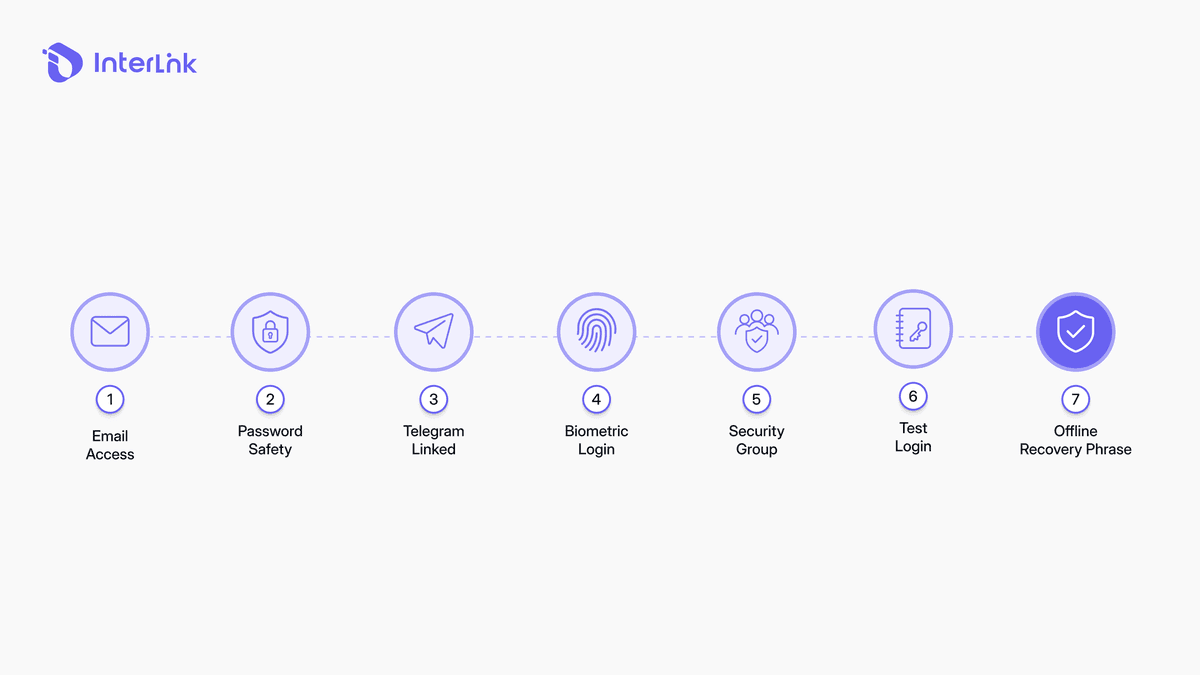
To minimize future login issues, follow these best practices:
Always maintain access to the email registered with InterLink
Securely store your password (never share it)
Link your Telegram account and enable biometric login when available
Activate Security Group features for decentralized recovery
Regularly test that you can still log in successfully
Keep your Super Wallet recovery phrase in a safe offline location
Conclusion
Recovering your InterLink password is straightforward when you still have access to your registered email or other linked recovery methods. By following the steps above and taking advantage of the multi-channel system introduced in v5, most users can regain full access to their InterLink ID and continue mining without unnecessary delays.
Always rely on official InterLink channels for the most accurate and up-to-date instructions. This guide is intended for educational purposes and is based on publicly available information about the current recovery mechanisms.
Disclaimer: This article from InterLink Labs is for informational purposes only. Always use official InterLink applications, websites, and support channels. Never share your password, recovery codes, or private keys with anyone. InterLink Labs and the InterLink Foundation are the only authoritative sources for account-related procedures.
Read now: How to Fix InterLink Login Errors – 5 Common Problems & Solutions: Solve the problem completely and get back to mining in just a few minutes.

